Resume Grammar Errors: Why They Cost You Interviews (And Fixes)
 Ayush Panthri | Published: | Updated: | Reviewed By
  Kunal Saxena
If your resume seems fine but you’re not getting interview calls from recruiters, small grammar mistakes could be the reason. One of the biggest problems with resumes is grammatical errors that can prevent you from clearly showing your impact and value to employers.
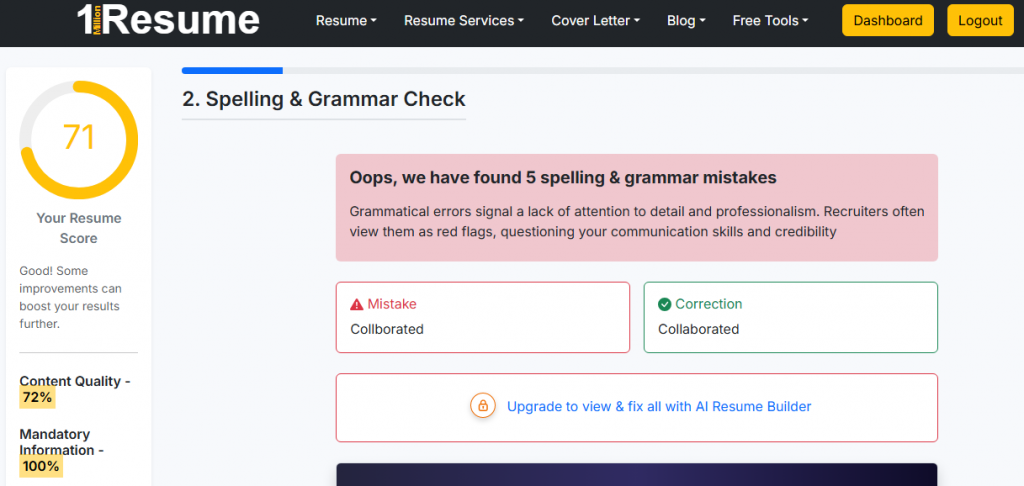
After checking your resume with our free resume checker tool, you can identify small grammar mistakes you may not notice.
The report includes: Typos and spelling errors, Incorrect verb tenses, Personal Pronoun Detect.
You might have the right skills but if your resume has errors:
- Recruiters may ignore it.
- Your message becomes unclear
- Opportunities are lost
Fixing small errors can create a big impact.
You may have the right experience, but your resume doesn’t present it clearly.
In this article, we will discuss how grammatical mistakes impact your resume and how you can fix these mistakes manually or with the help of tools. So, read the full article below.
By end of this you”ll know
Why it hurts?
Grammar mistakes on a resume leave a bad impression, no matter how good you are. If you are an experienced professional, recruiters expect your resume to be perfect.
Grammatical mistakes can also lead to automatic rejection. For example, if you misspell a technology like “React JS” the hiring software (ATS) won’t recognize it. The system may assume you don’t have that skill and might filter out your resume before a human even sees it.
Here’s why:
- Recruiters assume lack of attention to detail
- Your resume looks unprofessional
- ATS may misread poorly written content
- Your message becomes unclear
In a competitive market, even minor mistakes can cost you interviews.
Common Examples (Mistakes vs Corrected)
This section shows typical grammar errors that candidates make and their corrected versions.
| Mistakes | Correct Version |
|---|---|
| Responsible for manage team | Responsible for managing a team |
| Helped to increase sales | Helped increase sales |
| Responsible for preparation of reports | Responsible for preparing reports |
| Manage daily operation | Managed daily operations |
| Worked on project and improve results | Worked on a project and improved results |
| Handled customer query | Handled customer queries |
Small corrections make your resume clearer and more professional.
How to fix?
There are two effective ways to fix grammatical errors in your resume.
Manual Fix (Quick Proofreading Method)
In this method, you can identify your grammatical errors with free tools and manually fix these errors to improve your resume’s content quality and clearly show your impact to recruiters.
Method 1. If you are creating your resume in the MS Word, the in-built spell checker tool helps you identify grammar errors and fix them.
Method 2. You can also use a Grammarly tool in a web browser, paste your content, tool helps you analyze your grammatical mistakes and you can easily fix these errors in your resume.
Drawback: Sometimes, you might spell a word correctly but use it in the wrong context. The spell checker in Microsoft Word often misses these mistakes because it only looks for typos, not how the word fits into the sentence. Sometimes, words like “skills” are used incorrectly in context, and the tool might not notice the error as long as the spelling is correct.
With AI Resume Builder (Faster Method)
If you want a quicker and guided approach:
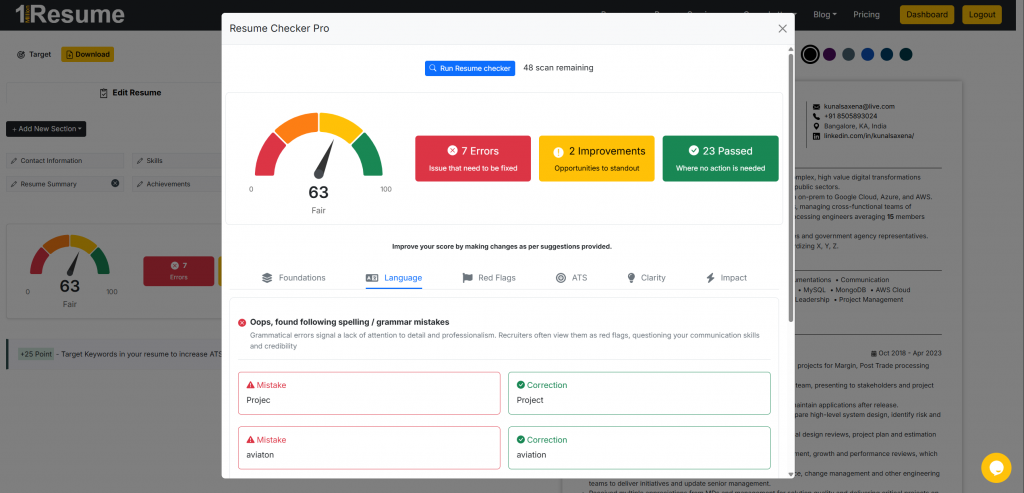
You can use our AI resume builder tool and upload your resume, the in-built resume checker tool will:
- Scan your resume instantly.
- Identify your grammatical errors and highlight weak areas.
- Suggest AI-specific improvements with examples.
- You can fix your mistakes using the tool’s suggestions.
It helps you improve your resume errors without any confusion.
It is a faster and more efficient method compared to doing everything manually.
Edge Cases?
Many people think all resume mistakes are the same, but they’re not
Typos vs Grammar vs Formatting
- Typos (Spelling mistakes)
Small typing errors like “managment” instead of “management”
→ These make your resume look careless. - Grammar Errors (Sentence mistakes)
Wrong sentence structure or verb usage
→ These make your resume hard to understand.
Even if your content is good, these mistakes reduce your credibility.
“Is My Resume Error-Free Now?”
Before applying, do a quick final check:
- No spelling mistakes
- Correct grammar in every sentence
- Clean and consistent formatting
- Easy to read and understand
If your resume passes all these checks, it’s ready to send.
A strong resume is not just about content, it must also be clear, correct, and clean.

Author – Ayush Panthri
Connect on LinkedIn

Reviewer – Kunal Saxena
Kunal is a seasoned Technical Resume Writer with over 13 years of experience working with startups, mid-sized firms, and top global companies like Goldman Sachs and EY. He brings deep domain expertise across tech, education, insurance, e-commerce, and investment banking.
He has helped hundreds of professionals from top firms—including Apple, Meta, Google, Adobe, and Amazon — land interviews and advance their careers globally. His approach blends real-world hiring insight with high-impact resume strategy.
Kunal is an active member of Career Thought Leaders and the Resume Writing Academy, staying current with global resume trends and recruiter expectations.
Connect on LinkedIn
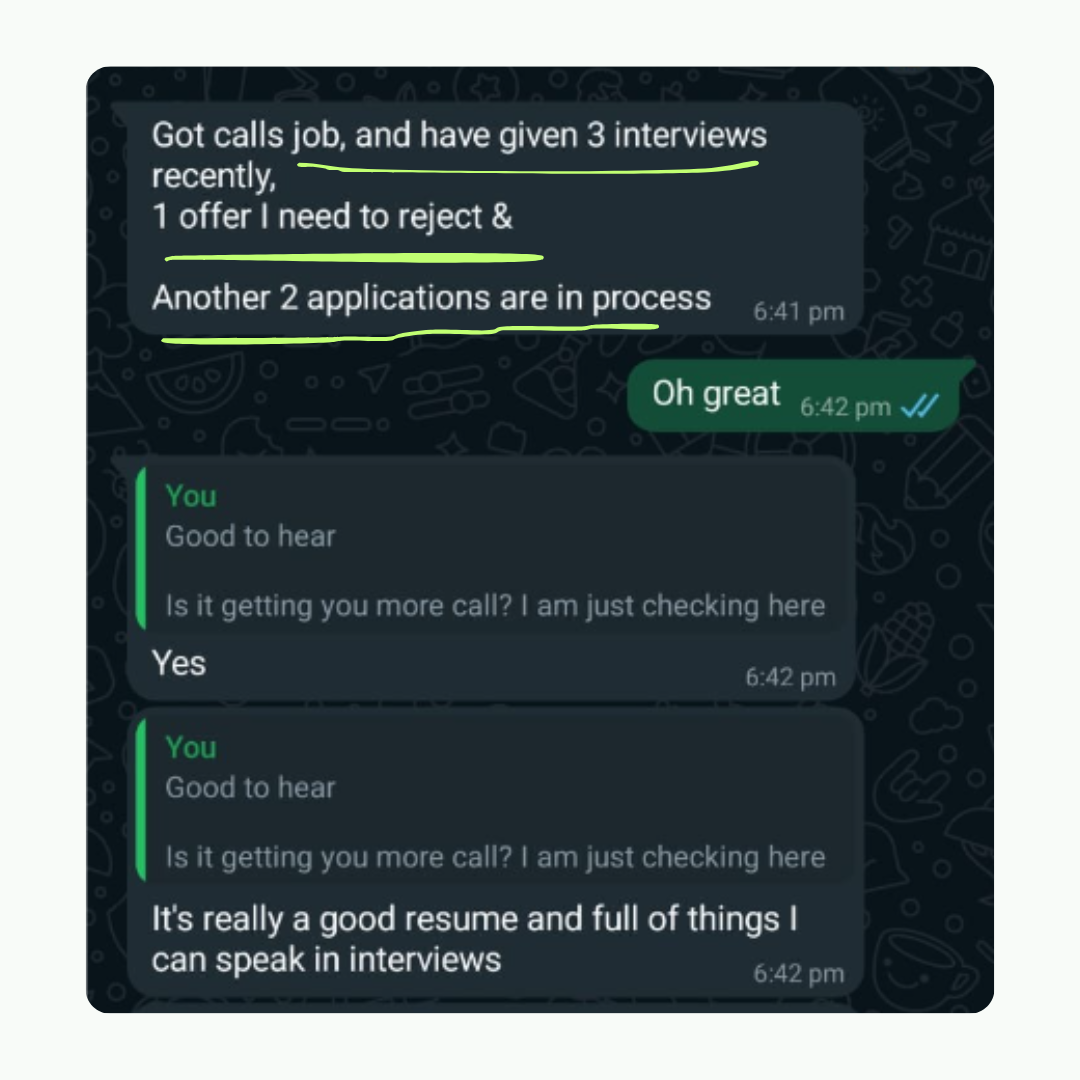
Amit got 2 Offers with our resume builder

My experience was truly outstanding, I got 3-5 interview calls and 2 job offers. The resume wasn't just focused on my current job - it captured my consulting, technical and leadership skills as well. Plus this was much more affordable
Data Engineer - Deloitte