How to Increase Your ATS Score [Step-by-Step Guide]
 Ayush Panthri | Published: | Updated: | Reviewed By
  Kunal Saxena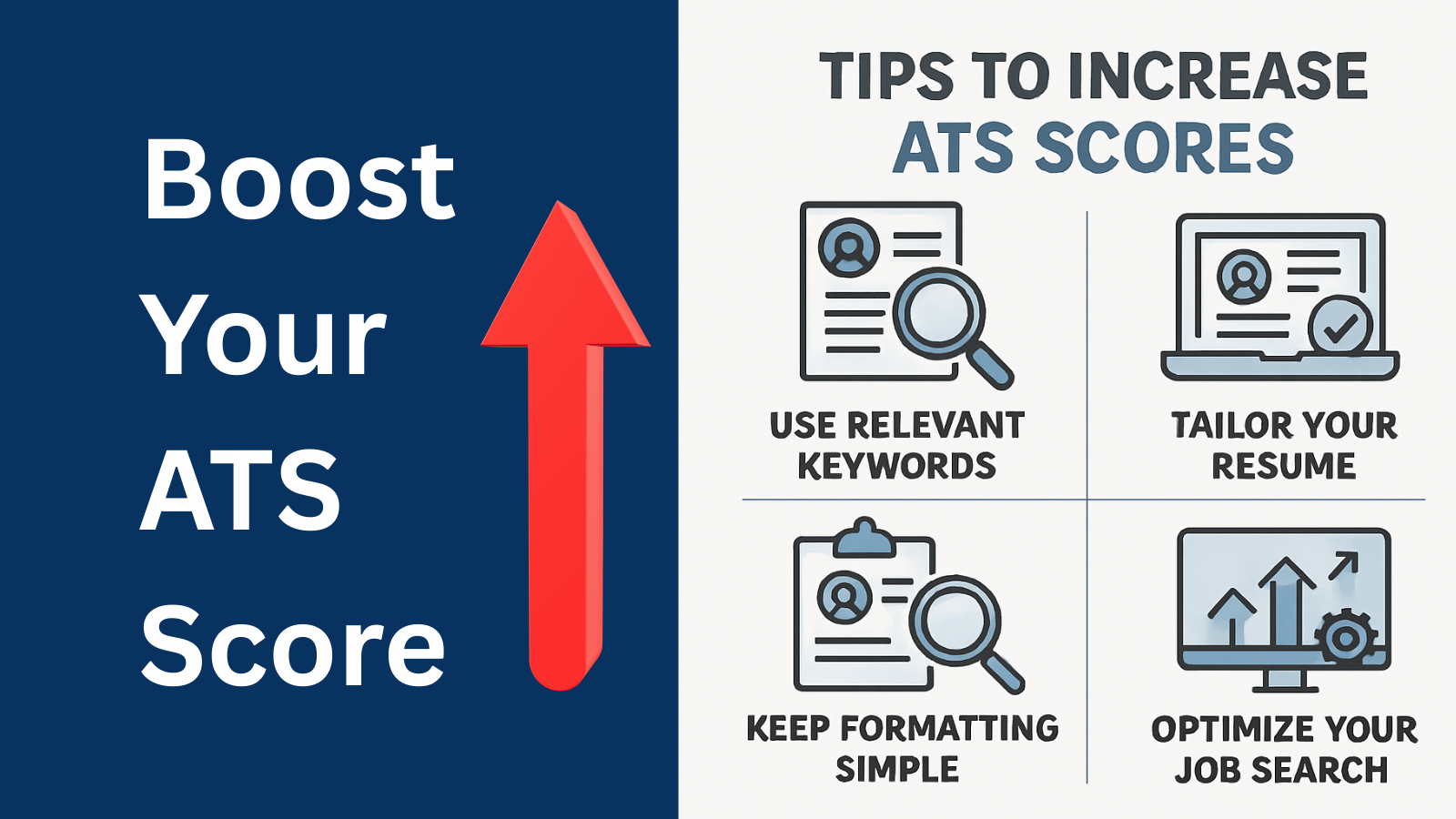
Increasing your ATS score is not about gaming the system, it’s about presenting your experience clearly and strategically. By using ATS-friendly formatting, targeting the right keywords, highlighting measurable achievements, and tailoring your resume for each job, you greatly improve your chances of passing the initial screening process.
Studies from hiring platforms and recruitment reports suggest that over 90% of large companies use ATS software to manage job applications. That means if your resume is not optimized for ATS, it might never reach a human recruiter.
The good news is that improving your ATS score is not about tricking the system it’s about making your resume clear, relevant, and structured in a way both computers and recruiters can easily understand.
Before trying to improve your resume, it is important to understand how ATS scores work and what factors influence them.
If you are new to ATS optimization, read our detailed guide on what an ATS score is and how it works.
This step-by-step guide explains the most effective ways to increase your ATS score and improve your chances of getting interviews.
By end of this you”ll know
Use ATS-Friendly Resume Formatting
Using ATS-friendly formatting ensures that your resume is easily read by Applicant Tracking Systems and recruiters. Even strong content can be ignored if the formatting prevents the ATS from correctly parsing your information.
Why ATS-Friendly Formatting Matters
Applicant Tracking Systems scan resumes by parsing text and categorizing information into sections like skills, experience, and education. If your resume uses complicated layouts, the ATS may fail to extract the correct information. ATS software processes resumes differently than a human recruiter would. Clean, single-column layouts with clear section headers and standard fonts ensure the system can extract and categorize your information correctly.
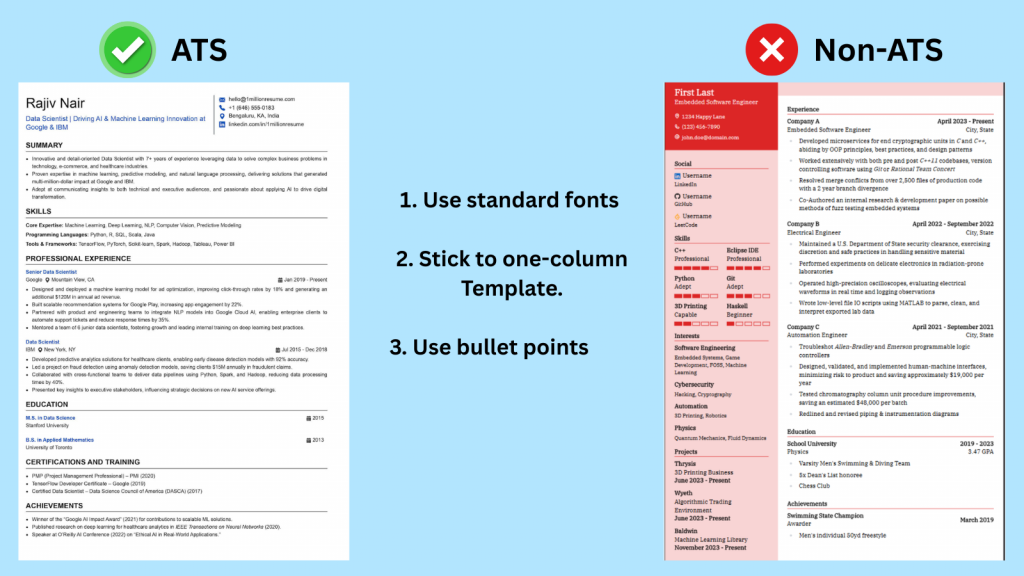
For example, resumes with multi-column layouts or decorative designs can cause ATS software to misread job titles, dates, or achievements. When this happens, your resume may receive a lower score even if you are qualified
1. Use standard fonts (e.g., Arial, Times New Roman, Calibri) and avoid fancy designs.
2. Stick to one-column layouts; ATS struggles with multiple columns, headers, and footers.
3. Use bullet points instead of paragraphs for readability.
Use a Clean One-Column Resume Layout
A simple one-column format works best for ATS systems because it allows the software to read the resume from top to bottom without confusion.
Key formatting tips include:
- Use clear headings and consistent formatting
- Align text to the left
- Use standard fonts such as Arial, Calibri, or Times New Roman
- Maintain consistent spacing between sections
A clean layout improves readability and ensures the ATS correctly extracts important details like skills and work experience.
Avoid Graphics, Tables, and Complex Design Elements
Many modern resume templates include visual elements such as icons, charts, or skill bars. While these may look appealing, they can confuse ATS systems.
Avoid using:
- Logos or graphics
- Text inside images
- Tables for organizing content
- Decorative charts or progress bar
Instead, keep your resume text-based and straightforward. This increases the chances that the ATS can correctly analyze your resume.
Use Standard Resume Section Headings
Using standard resume section headings helps ATS systems correctly identify and categories your information. It also makes your resume easier for recruiters to scan quickly.
Why ATS Systems Prefer Standard Headings
ATS software categorizes resume information based on recognized section titles. If you use unusual headings, the system may not know where to place that information.
For example, Avoid creative headings like:
“My Journey” / “What I Bring” / “Where I’ve Been”
ATS may not categorize them correctly.
if you label your experience section as ”Career Journey”, the ATS may fail to recognize it as work experience.
Using standard headings ensures your resume is properly parsed and scored.
Examples of ATS-Friendly Section Headings
Use commonly recognized section titles such as:
- Professional Summary
- Work Experience
- Skills
- Education
- Certifications
- Projects
- These headings are widely recognized by ATS systems and help organize your resume clearly.
Section Titles You Should Avoid
Avoid creative headings that ATS systems may not recognize, such as:
- My Story
- Where I’ve Been
- Professional Highlights
- Career Timeline
While these titles may sound unique, they can prevent the ATS from properly categorizing your information.
Tailor Your Resume for Each Job Role
Sending the same resume for every job is one of the biggest reasons candidates get rejected. Tailoring your resume ensures it matches the specific job requirements, improving both your ATS score and chances of getting shortlisted.
Analyze the Job Description for Keywords
One of the most important factors in ATS scoring is keyword matching.
The ATS compares the keywords in your resume with those in the job description. If the system finds strong matches, your resume receives a higher ranking.
Look for keywords related to:
- Skills
- Tools or technologies
- Certifications
- Job responsibilities
Include these terms naturally in your resume where relevant.
Match Your Resume Title with the Job Role
Your resume should clearly reflect the position you are applying for.
For example, if the job title is ”Digital Marketing Specialist”, your resume title or summary should include the same or a closely related title.
This alignment signals to the ATS that your profile matches the job requirements.
Customize Skills and Experience for Each Roles
Instead of sending the same resume to every job, tailor your resume to highlight the most relevant experience.
Focus on:
- Skills listed in the job description
- Relevant projects or achievements
- Tools or platforms required for the role
Customizing your resume significantly increases your chances of passing ATS filters.
Include a Dedicated Skills Section
A dedicated skills section helps ATS systems quickly identify your key abilities and match them with the job requirements. It also makes it easier for recruiters to scan your resume in seconds.
Why the Skills Section Improves ATS Scores
The skills section is one of the first areas scanned by ATS software.
A clearly defined skills section helps the system quickly identify your expertise and match it with job requirements.
Without a skills section, important keywords may be missed.
Many candidates hide skills in a sidebar, a paragraph, a fancy design, or inside project text.
ATS scoring tools look for a clear skills section.

Hard Skills vs Soft Skills in ATS Scanning
ATS systems primarily focus on hard skills, which are measurable abilities such as:
- Data analysis
- Project management
- Python programming
- SEO optimization
Soft skills like leadership or communication are valuable but often carry less weight in ATS scoring.
A balanced mix of both types of skills is recommended.
How to Choose the Right Skills from the Job Description
To identify the right skills:
- Carefully review the job posting
- Highlight repeated skills or technologies
- Include relevant ones in your resume
For example, if a job description repeatedly mentions ”Google Analytics”, including that skill increases keyword matching.
Use Quantified Achievements and Impact Bullets
Using quantified achievements makes your resume more convincing and results-focused. Instead of just listing responsibilities, you show what you achieved and the impact you created.
Turn Responsibilities into Achievements
ATS scoring tools often favor resumes with action verbs, measurable outcomes, and role-aligned work. Many candidates list job responsibilities instead of results.
For example:
Weak bullet point:
1. Responsible for managing social media accounts.
2.”Worked on dashboards.”
Stronger version:
1. Managed social media campaigns that increased engagement and brand visibility.
2.”Built Power BI dashboards tracking revenue and conversion for 3 business teams.”
Achievements demonstrate the impact of your work and make your resume more compelling.
Use Numbers and Metrics to Show Impact
Adding measurable results strengthens your resume and makes achievements more credible.
Metrics help both ATS systems and recruiters quickly understand the value you bring.
3 different types of metrics are used to show impact on a resume are given below:
1.Percentage-Based Metrics
Example:
- Increased sales by 35% in six months
2.Financial / Monetary Metrics
Example:
- Reduced operational costs by $50,000 annually
3.Performance / Growth Metrics
Example:
- Improved website traffic by 70% through SEO strategies
Examples of Strong Resume Bullet Points
Here are examples of effective bullet points:
- Increased email marketing conversion rate by 28% through targeted campaigns
- Led a team of 5 developers to launch a new product feature
- Reduced customer response time by 40% using automation tools
These bullet points clearly communicate measurable results.
Use an ATS-Compatible File Format
Choosing the right file format is important because it ensures your resume is correctly read by ATS systems. Even a well-written resume can fail if the file format causes parsing issues.
Best File Types for ATS (PDF vs DOCX)
The safest file formats for ATS are:
- DOCX
- PDF [text-based]
PDF files are widely supported by most ATS systems and are generally recommended unless the job posting specifies another format.
File Naming Best Practices
Your file name should be simple and professional.
Example:
John-Smith-Marketing-Resume.pdf
Avoid generic names like:
- Resume.pdf
- Final ResumeVersion2.pdf
A clear file name helps recruiters quickly identify your document.
Common File Format Mistakes to Avoid
The file format of your resume can greatly influence how well it’s read by ATS software.
Avoid these common mistakes:
- Submitting image-based PDFs
- Uploading resumes as images
- Using uncommon file formats like .pages or .txt
These formats may prevent ATS systems from reading your resume correctly.
Keep Your Resume Concise and Easy to Scan
Recruiters spend only a few seconds reviewing each resume. Keeping your resume concise and easy to scan helps both ATS systems and recruiters quickly understand your qualifications.
Ideal Resume Length for ATS
For most professionals, the ideal resume length is:
- 1 page for early career candidates
- 2 pages for experienced professionals
Long resumes may dilute important information and reduce readability.
Use Bullet Points and White Space
Large blocks of text make resumes difficult to scan.
Use bullet points to:
- Highlight achievements
- Break up information
- Improve readability
White space between sections also helps recruiters quickly find key information.
Prioritize the Most Relevant Information
Your resume should focus on the experiences most relevant to the job.
Prioritize:
- Recent work experience
- Key achievements
- Relevant skills
Less relevant information can be minimized or removed.
Keep Your Resume Updated and Accurate
An updated and accurate resume ensures that both ATS systems and recruiters see your most relevant and correct information. Outdated or incorrect details can reduce your chances of getting shortlisted.
Update Skills and Experience Regularly
Your resume should evolve as your career grows.
Update it whenever you:
- Learn new tools or technologies
- Complete certifications
- Achieve significant career milestones
Regular updates ensure your resume remains competitive.
Ensure Dates, Locations, and Job Titles Are Correct
Incorrect or inconsistent details can confuse ATS systems and recruiters.
Double-check:
- Employment dates
- Job titles
- Company names
- Locations
Accuracy helps maintain professionalism and credibility.
Review Your Resume Before Every Job Application
Before submitting your resume:
- Check for spelling or formatting errors
- Ensure keywords match the job description
- Confirm that all information is relevant
Even small improvements can significantly increase your ATS score.
Author – Ayush Panthri
Connect on LinkedIn

Reviewer – Kunal Saxena
Kunal is a seasoned Technical Resume Writer with over 13 years of experience working with startups, mid-sized firms, and top global companies like Goldman Sachs and EY. He brings deep domain expertise across tech, education, insurance, e-commerce, and investment banking.
He has helped hundreds of professionals from top firms—including Apple, Meta, Google, Adobe, and Amazon — land interviews and advance their careers globally. His approach blends real-world hiring insight with high-impact resume strategy.
Kunal is an active member of Career Thought Leaders and the Resume Writing Academy, staying current with global resume trends and recruiter expectations.
Connect on LinkedIn
Related Posts
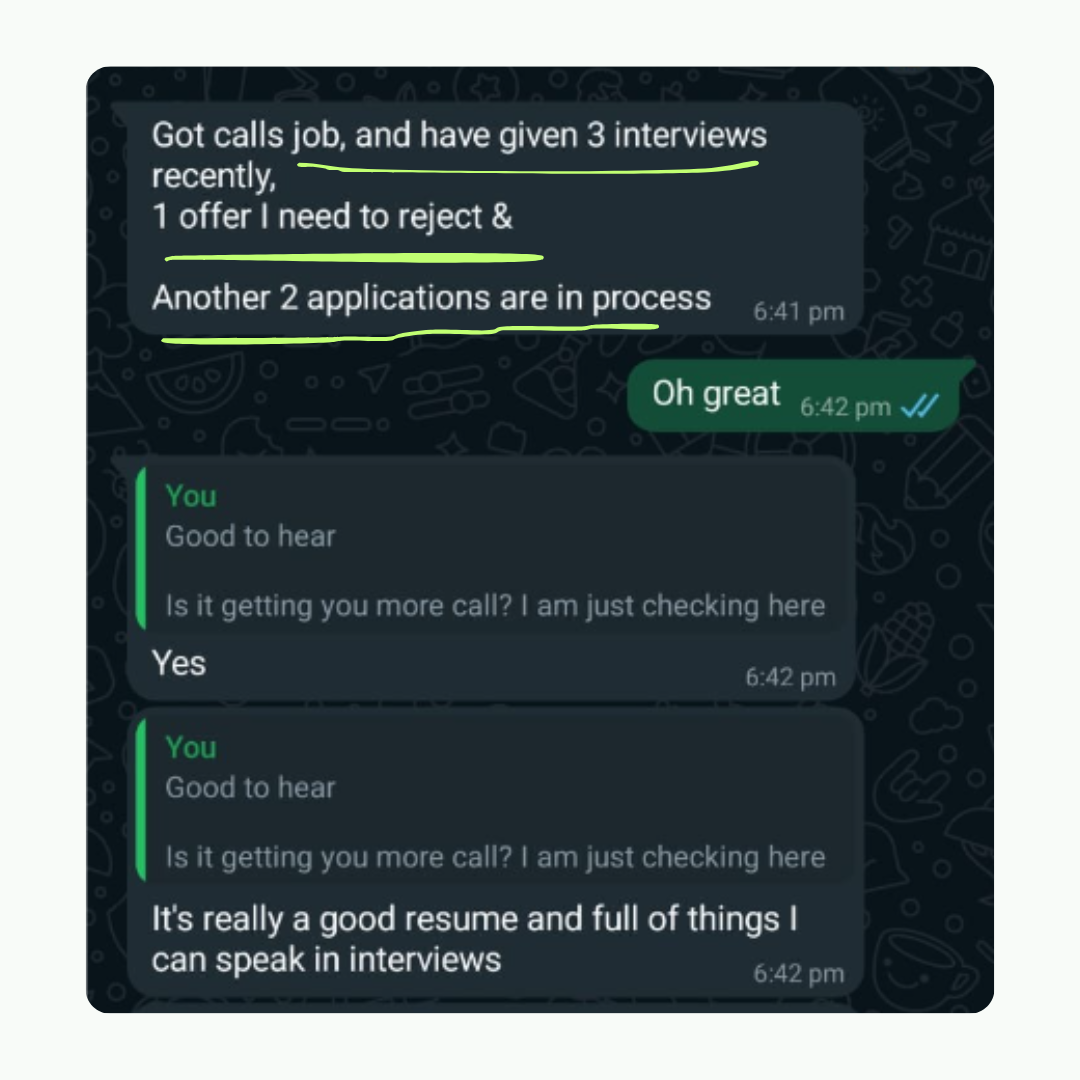
Amit got 2 Offers with our resume builder

My experience was truly outstanding, I got 3-5 interview calls and 2 job offers. The resume wasn't just focused on my current job - it captured my consulting, technical and leadership skills as well. Plus this was much more affordable
Data Engineer - Deloitte